For the Department of Internal Medicine, University of New Mexico Hospital
Capillary Schedule for your department and each of its divisions
Your department listed what it needs from a physician scheduling platform. Each need below has Capillary Schedule's answer and whether it works today or when it will be ready. The screens come from a sample department of internal medicine with made-up faculty.
The sample loads into your own account. Sign in or create one first.
Your needs, and where each stands
Coverage that follows patient volume and acuity
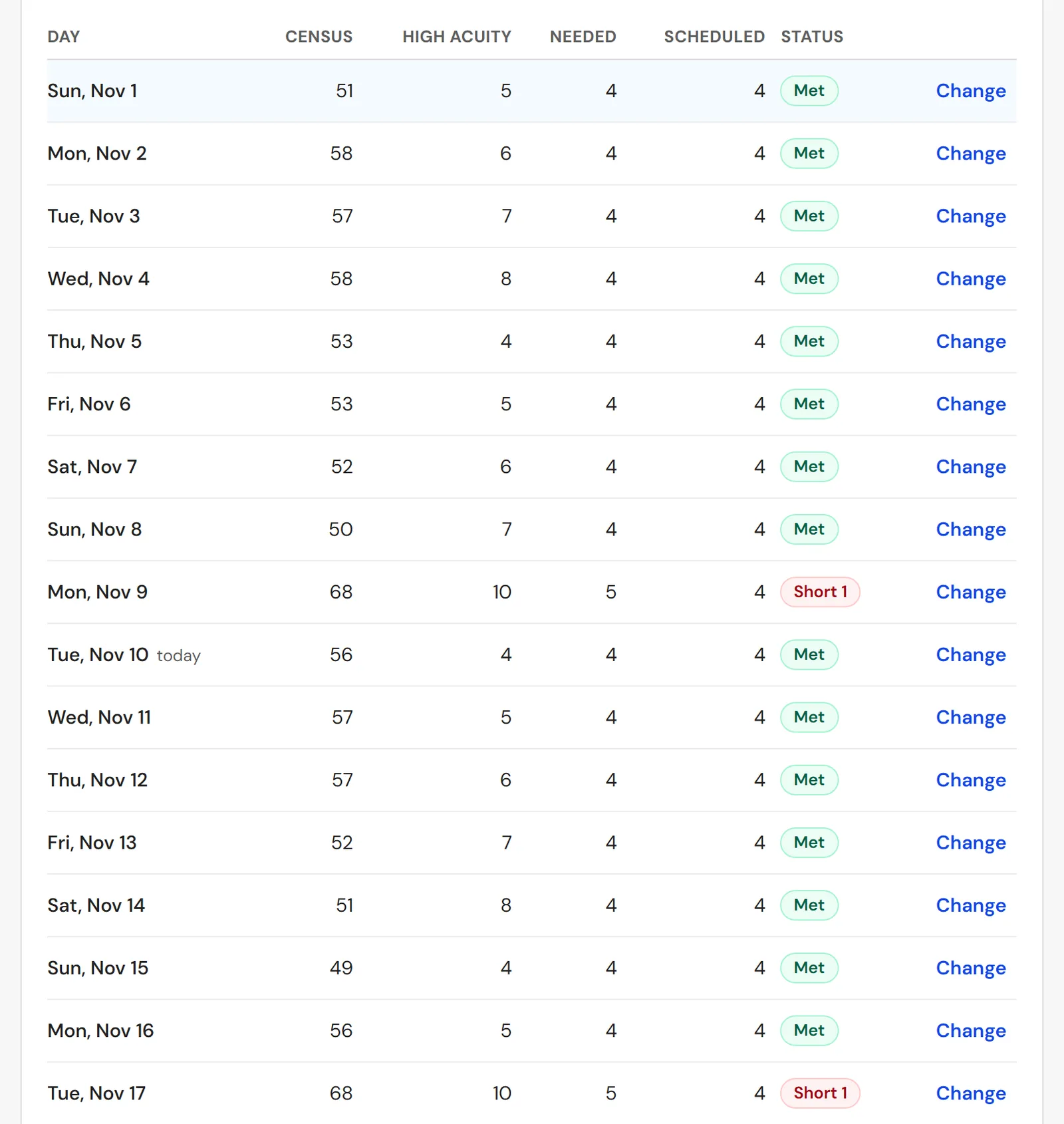
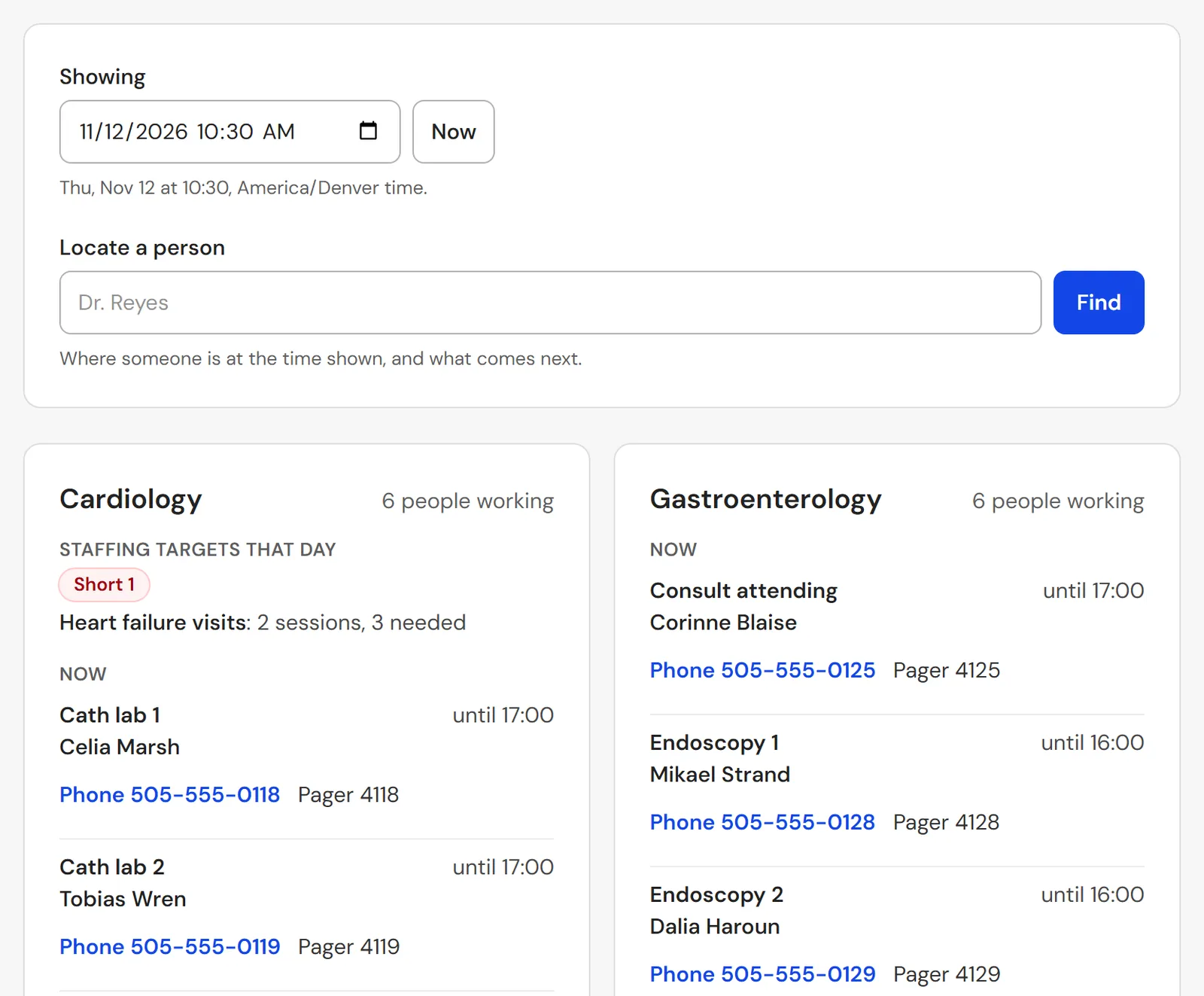
Staffing targets turn the census you enter or upload for each day into the staff needed, such as one hospitalist for every 16 inpatients, with a high-acuity patient counting more, or visits per clinic session. Short and over days are flagged, and automatic scheduling adds the shifts a short day needs. Counts only, never a patient's name or record.
Works todayFaculty specialty matched to each patient and clinic
A shift or a clinic can require a specialty or a credential. Placing someone who lacks it, or whose credential ends before the work, shows a warning or is refused, as each division chooses.
Works todayTailored to internal medicine and to each division
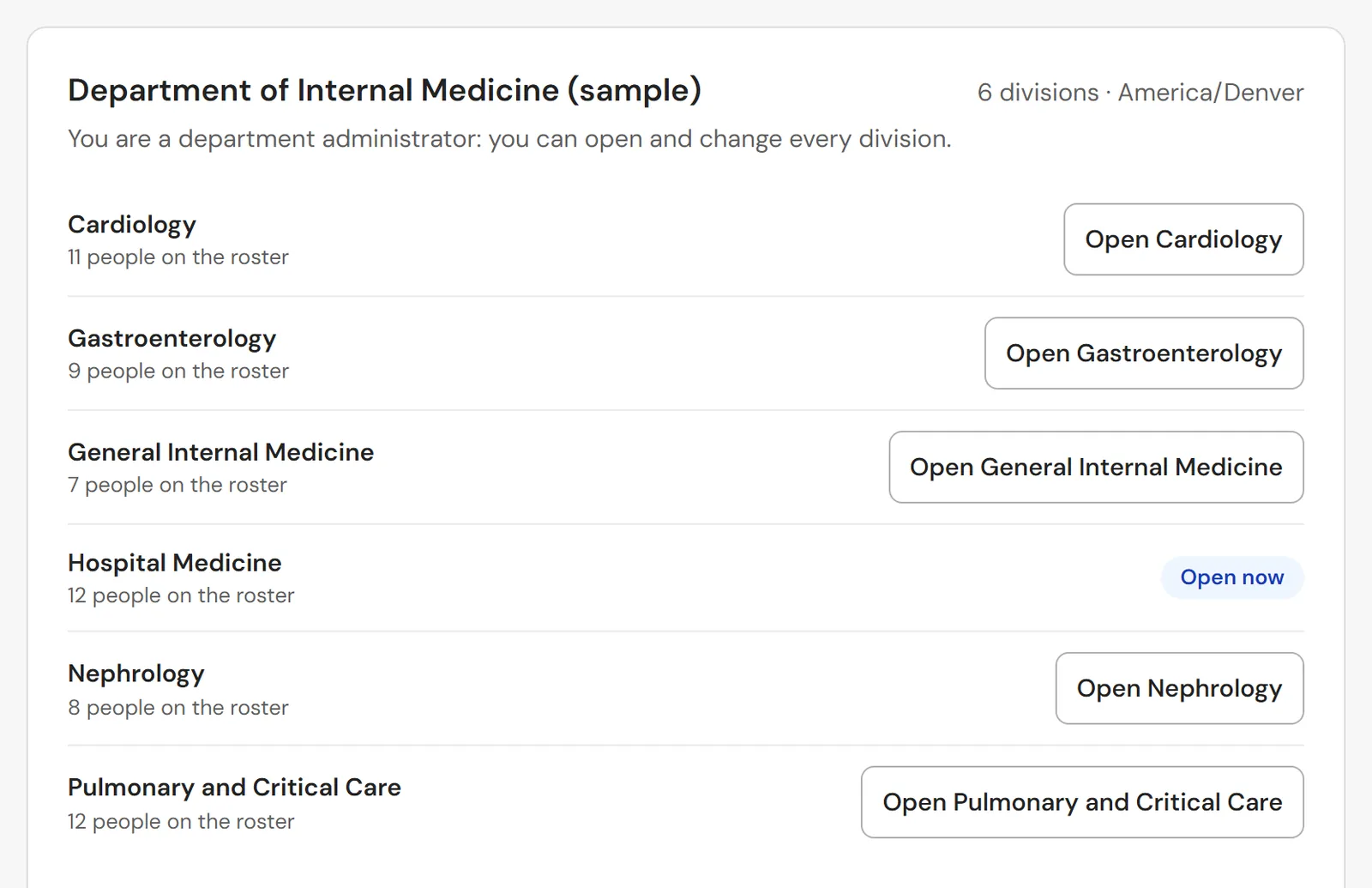
Hospital Medicine, Cardiology, Gastroenterology, Nephrology, Pulmonary and Critical Care, General Internal Medicine and any other division each run their own schedule, shifts, rules and publishing under one department, each with a template of its own. Half-day clinic sessions repeat every week, every other week or on chosen weeks of the month, and inpatient service runs in one- or two-week blocks, one attending each.
Works todayChanges made for each specialty when you need them
Ask Capillary support for a change from inside the app. Support makes it only when your administrators allow, and every change is recorded by name.
Works todayHelp with credentialing
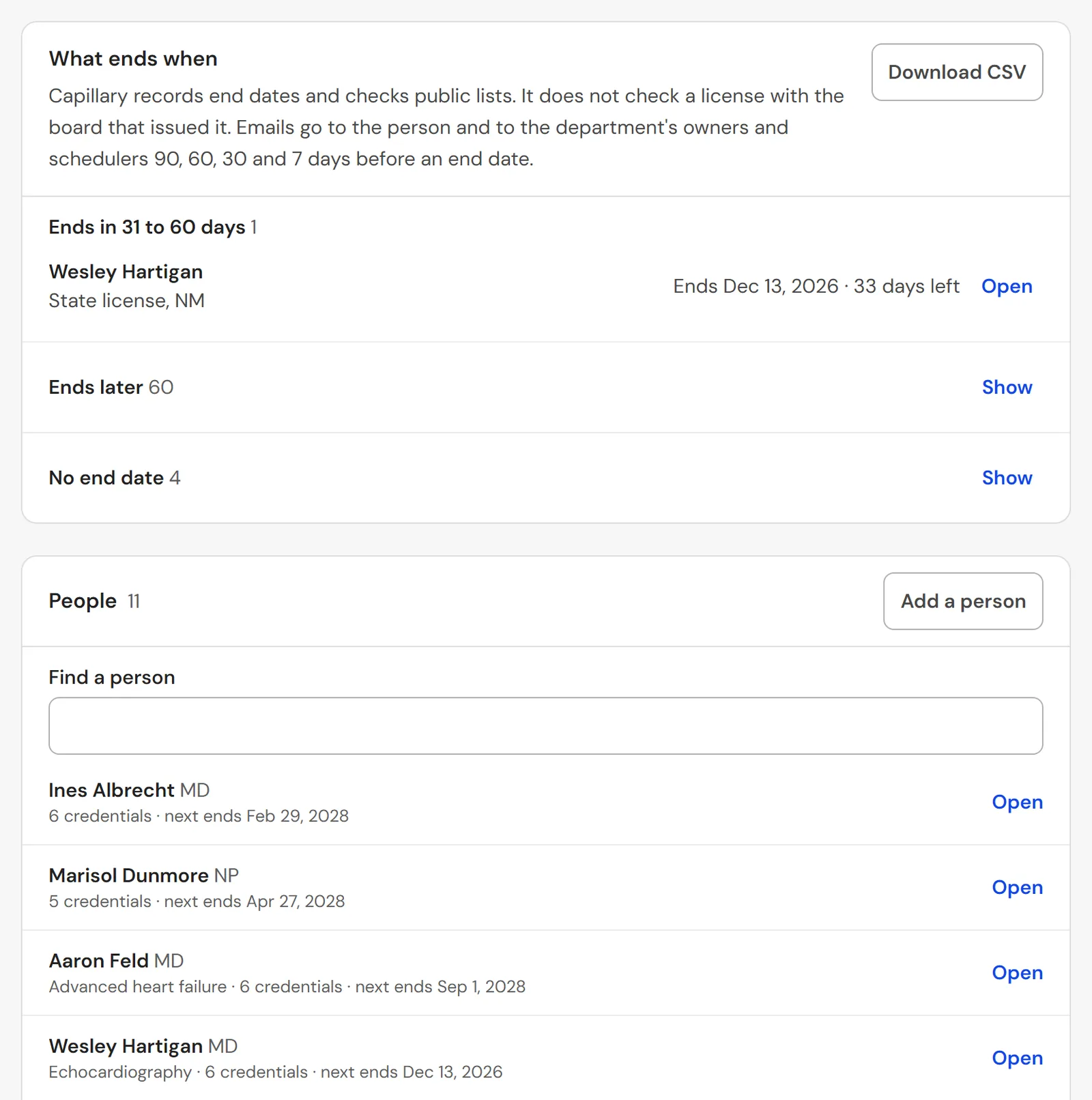
State licenses, DEA registrations, board certifications, hospital privileges, BLS and ACLS, each with the day it ends; email reminders 90, 60, 30 and 7 days before; names and specialties filled in from the public NPI registry; and a monthly check of the federal exclusion list.
Works todayFinding a faculty member quickly in an emergency
One screen shows who works now and who comes next in every division, with the place, the end time, a work phone and a pager. A search by name locates any faculty member, and the hospital's operators get a read-only on-call link that your administrators make and can turn off.
Works todayExam room management
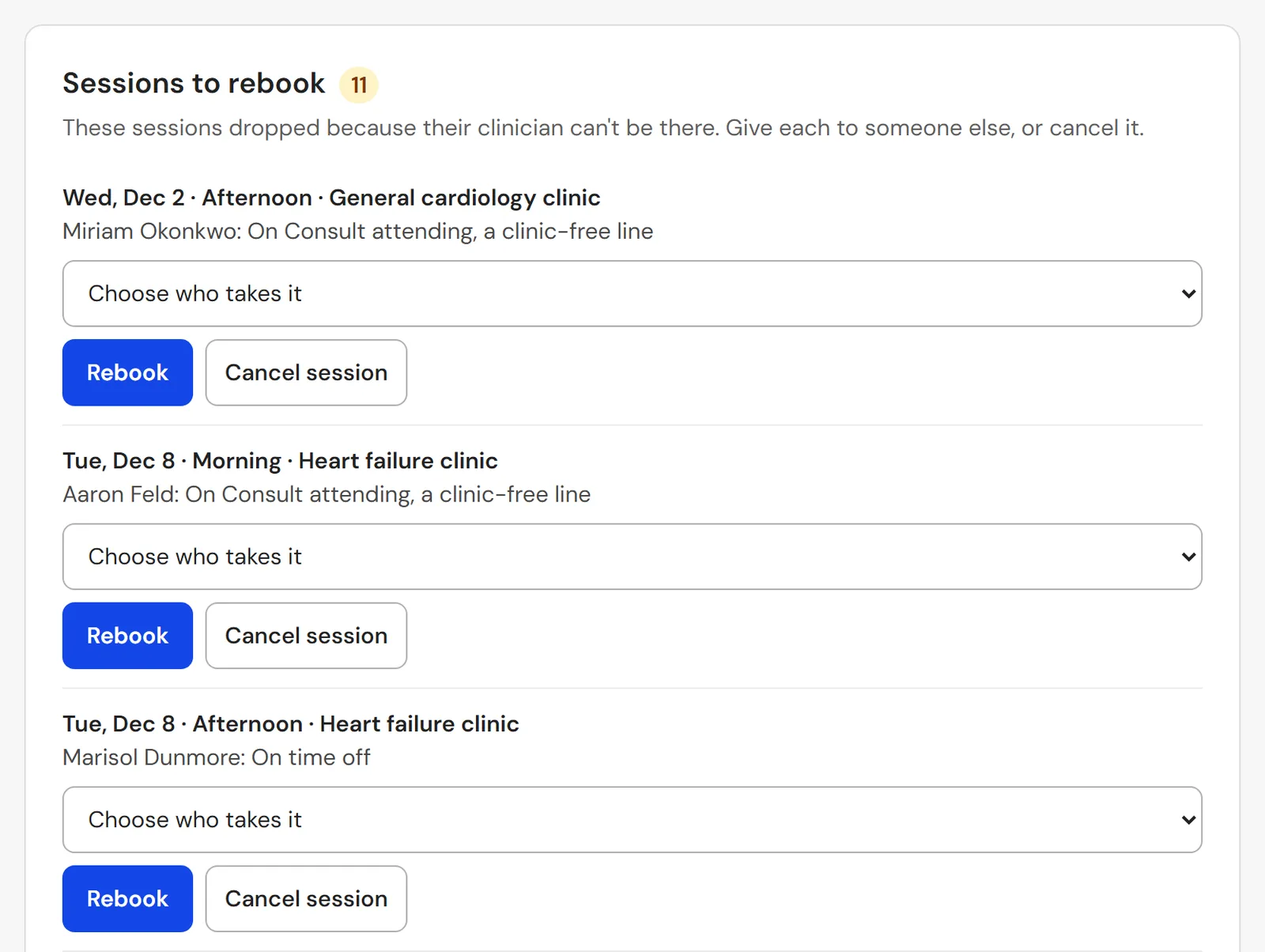
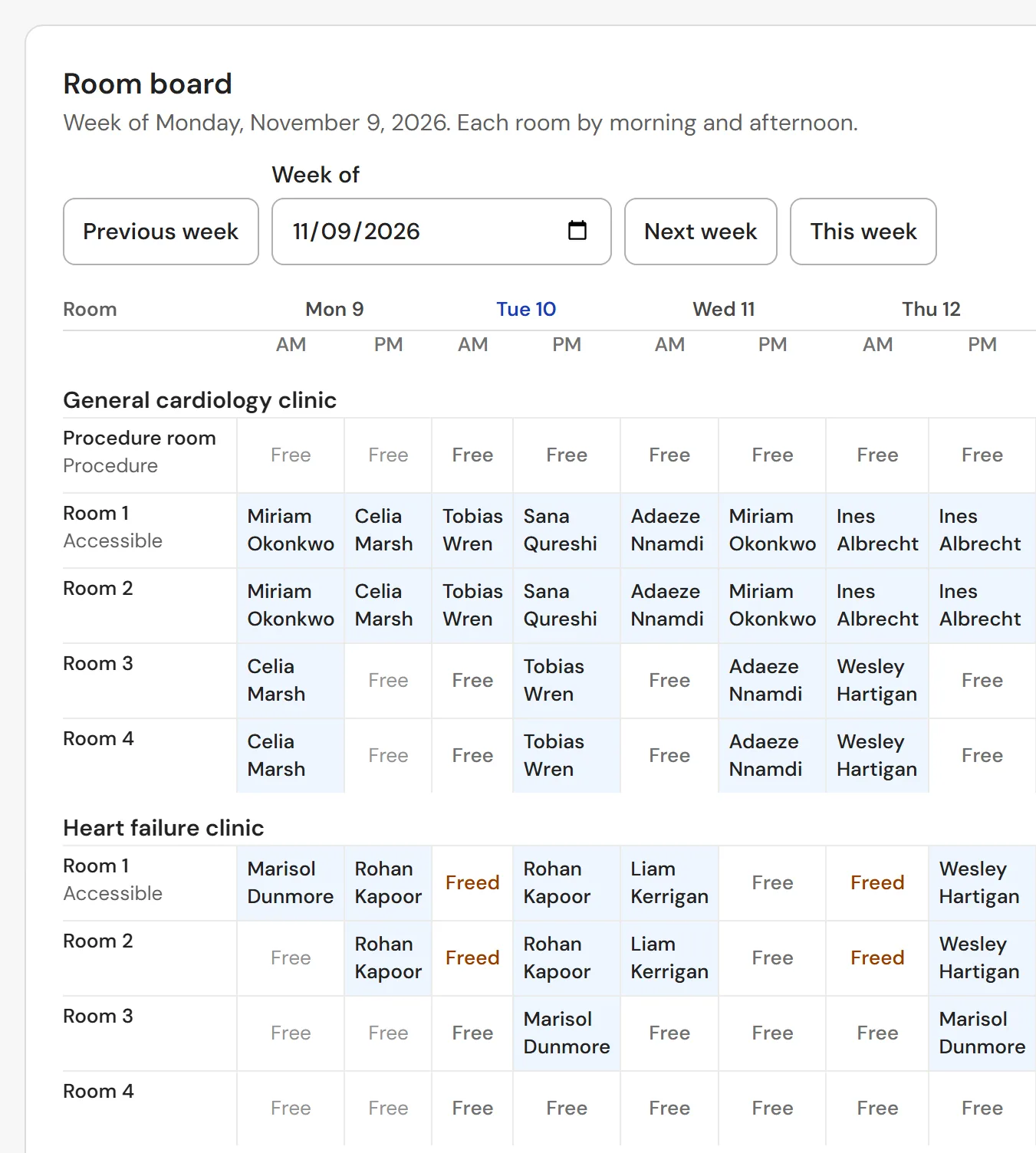
Each clinic's exam and procedure rooms and the rooms each session uses, a room board by morning and afternoon, rooms booked twice flagged, and the rooms freed when a session is cancelled or its faculty member is away.
Works todayWorkforce analytics
Clinic sessions and service weeks against each person's target; call, nights, weekends and holidays; room use; coverage against target; and how long sick calls and open shifts take to cover, by division, with CSV downloads.
Works todayTime and attendance
A list of who is here now, by site, for an emergency headcount; a weekly sign-off of hours by each faculty member, approved by the division; actual against scheduled time; and clocking in and out in one tap on a phone or the web.
Works todayBringing in the current schedule
Upload past and future months from a spreadsheet, match each assignment in the file to a shift, clinic or service once, and keep the match for the next upload.
Works today
See it working
Screens from the sample department of internal medicine, with made-up names and numbers.